AI agents for business are software systems that take a goal, plan the steps, call the tools and records needed to carry them out, and finish the work with limited human involvement. This guide covers the workflows where those agents pay back first, how to size that payback before you commission a build, what the running cost is made of, and how to govern each action an agent takes on a five-level autonomy ladder.
The market moved quickly. Gartner expects 40% of enterprise applications to include task-specific AI agents by the end of 2026, up from less than 5% in 2025. Deployment inside companies runs behind that. Gartner’s 2026 CIO and Technology Executive Survey found that 17% of organizations have deployed AI agents so far, while more than 60% expect to within two years, and that most live deployments stay narrowly scoped.
That gap between vendor availability and company deployment is the useful part. It means the question facing most operators is a sequencing question: of the twenty workflows an agent could touch, which one goes first, and how do you know it worked?
What AI Agents for Business Do?
An agent has four working parts. A reasoning model breaks the goal into steps.
- A tool layer gives it the ability to act: read a ticket, query a database, write to a CRM, send a draft for approval.
- A memory layer holds context across the steps so the agent knows what it already tried.
- A control layer decides which actions run automatically and which stop for a person.
- An orchestration framework holds those four together, and the choice among the main agentic AI frameworks decides how much of the control layer your team writes and how much comes with the box.
The fourth part carries most of the business value. An agent that drafts a refund and posts it to the ledger without review is a different risk profile from one that drafts the same refund and drops it in a review queue. Both are agents. Only one needs a compliance conversation before it ships.
AI Agents vs Chatbots: The Working Difference
A chatbot answers. It receives a message, retrieves or generates a response, and returns text. The work of resolving the request stays with the person reading the answer.
An agent completes. It receives a request, decides which systems hold the answer, performs the lookups, takes the action the request implies, and reports what it did. A customer asking to change a delivery address gets an answer from a chatbot and a changed address from an agent.
The practical consequence: agents need write access to systems of record, and that access is what turns a two-week prototype into a real project. Budget for the integration work, the permissions review, and the audit trail rather than for the model.
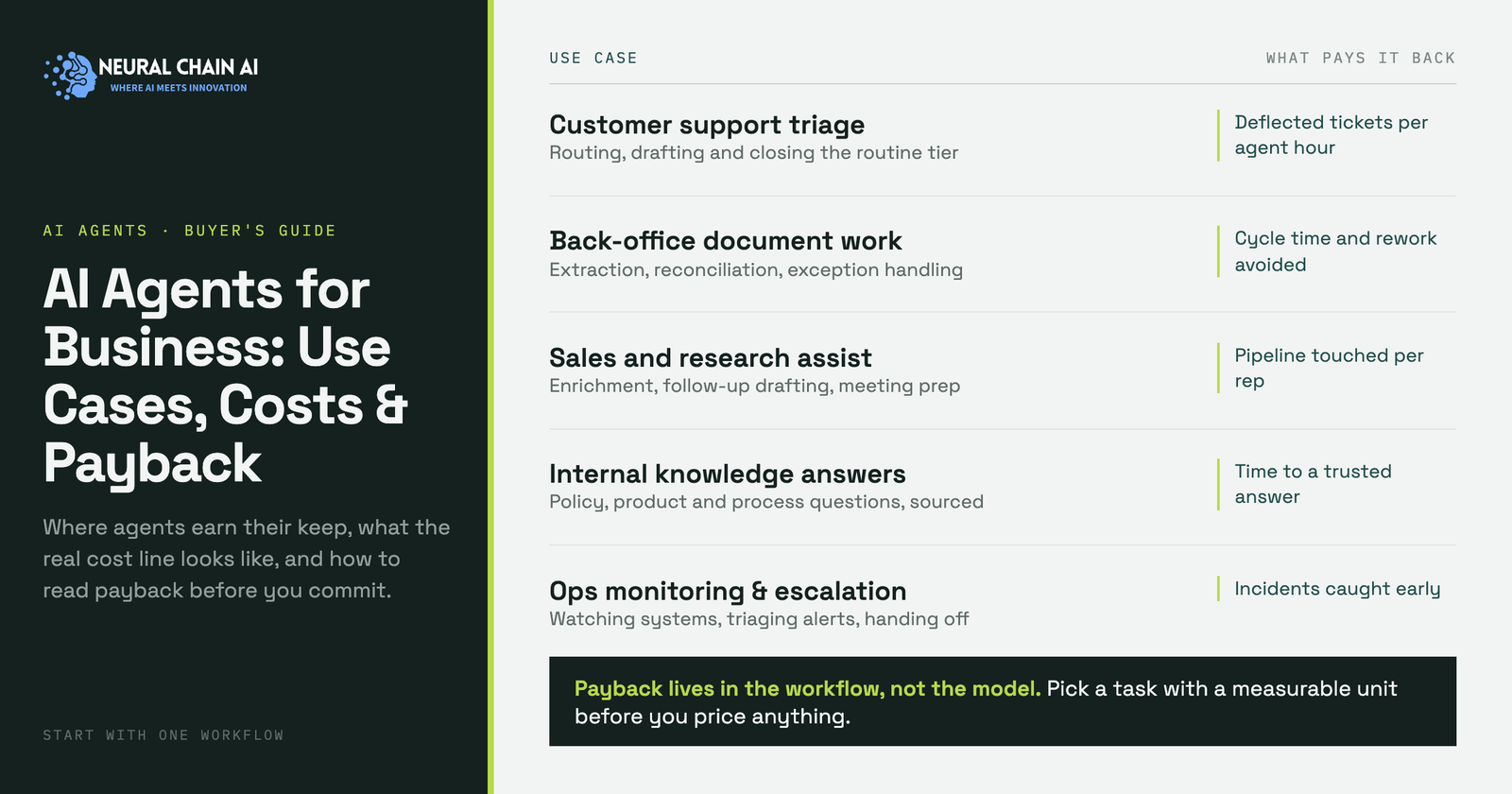
Where AI Agents for Business Pay Back First?
The following workflows convert earlier than the rest across SMB and mid-market deployments. They share four traits: high volume, structured inputs, a clear definition of a correct outcome, and a short feedback loop that tells you within days whether the agent is right.
| Workflow | What the agent does | How you measure it | Oversight needed | Integration effort |
|---|---|---|---|---|
| Customer service triage | Classifies inbound requests, resolves routine ones end to end, routes the rest with context attached | Share of tickets closed without a human touch, CSAT on those tickets | Low for reads, review queue for refunds and account changes | Medium |
| Document intake | Reads invoices, forms, and contracts, extracts fields, writes them into the system of record | Field-level accuracy against a labelled sample, minutes saved per document | Confidence threshold, low-confidence items go to review | Medium |
| Sales research and outbound prep | Enriches accounts, drafts tailored outreach, logs everything to the CRM | Accounts researched per rep per day, reply rate on drafted messages | Rep approves every send | Low |
| Back-office reconciliation | Matches transactions across systems, flags exceptions, drafts the correcting entry | Exceptions cleared per hour, month-end close duration | Finance approves every posting | High |
| Internal knowledge retrieval | Answers staff questions from policies, contracts, and past projects with citations | Queries per week, answer acceptance rate, repeat-question volume | Permission filtering at the document level | Low |
| IT and engineering support | Handles access requests, runs first-line diagnostics, opens tickets with logs gathered | First-response time, share of requests closed at tier 1 | Approval gate on anything that grants permissions | Medium |
Customer Service Triage
Service work has the clearest arithmetic because ticket volume and handle time are already tracked. Gartner projects that by 2029, agentic AI will autonomously resolve 80% of common customer service issues, cutting operational costs by 30%. The word doing the work in that sentence is “common”. Start with the three or four request types that make up the bulk of your queue, and treat the long tail as routing work.
Companies running phone volume alongside email and chat usually pair the triage agent with a custom AI call center agent so the same resolution logic covers every channel. Whichever channel it runs on, the number worth watching is the share of contacts closed without a person touching them, tracked per request type rather than as one blended figure. A blended rate hides the fact that order status questions resolve at a very different rate from billing disputes, and the mix between them is what your forecast depends on.
Vendors selling AI agents for customer service meter this work on three different units, per outcome, per resolution, and per conversation, and the unit chosen moves the invoice more than the rate does.
Document Intake
Invoices, claims forms, purchase orders, and signed contracts arrive as PDFs and email attachments and leave as rows someone typed. An agent reads the document, extracts the fields, checks them against the record it is updating, and posts the ones it is confident about. Accuracy here is measurable against a labelled sample of a few hundred documents, which makes this the easiest agent to prove.
Internal Knowledge Retrieval
Staff questions about policy, past work, and contract terms consume senior time in every firm. An agent with retrieval over your own documents answers them with citations pointing back to the source paragraph. Because the answers cite their sources, correctness is checkable by the person asking. A private RAG deployment inside your own tenant keeps the underlying documents on your infrastructure, which matters when the corpus includes client files or employee records.
How to Size AI Agent Payback Before You Build?
Most agent proposals arrive with a capability list and no arithmetic. Five inputs give you a number instead. The example below uses illustrative figures; substitute your own from the helpdesk, the ERP, or a two-week time study.
| Input | Example | Where to get it |
|---|---|---|
| Monthly volume of the task | 2,000 items | Ticket system, inbox, or ERP export |
| Staff minutes per item | 6 minutes, so 200 hours | Handle-time reports or a timed sample of 30 items |
| Loaded cost per staff hour | $45, so $9,000 per month | Salary plus benefits and overhead, from finance |
| Share the agent completes end to end | 60%, so 120 hours removed | Measured in the pilot, never assumed at the proposal stage |
| Review time on completed items | 1 minute each, so 20 hours back on the cost side | Pilot observation of the review queue |
| Gross monthly saving | 100 hours, or $4,500 | Hours removed minus review hours, times loaded cost |
Payback period is the build cost divided by the gross monthly saving minus the monthly running cost. Two rules keep the number honest. Count review time as a cost, because a queue nobody checks is not oversight. And measure the completion share in a pilot on real traffic rather than accepting a vendor benchmark, since the figure moves with the messiness of your inputs more than with the model.
Where staff time will be redeployed rather than removed, swap the cost saving for a throughput number: accounts covered, documents processed, or tickets absorbed at the same headcount. Throughput cases are easier to defend at review time because nobody has to argue about a headcount line.
What AI Agents Cost to Run?
The build is a one-time number your vendor quotes. The running cost recurs, and it is the line most proposals under-describe. Six components make it up.
| Cost line | What drives it | How it scales |
|---|---|---|
| Model inference | Tokens per task, number of reasoning steps, retries | Linear with volume on a hosted API, fixed on self-hosted hardware |
| Integrations | Number of systems the agent reads from and writes to | Steps up each time a source system changes its API |
| Retrieval and data prep | Corpus size, refresh frequency, permission complexity | Grows with document volume, not with query volume |
| Evaluation | Size of the test set, how often you re-run it | Mostly fixed, rises when you add a task type |
| Human review | Share of actions that need approval, review minutes each | Falls as accuracy is demonstrated and gates are widened |
| Monitoring and logging | Trace retention period, alerting, audit requirements | Linear with volume, higher in regulated settings |
Two of these six shift depending on deployment choice. Inference on a hosted API is a variable cost that tracks volume; the same workload on self-hosted infrastructure inside your own network converts to a largely fixed cost, which changes the arithmetic once monthly volume is high and steady. Regulated data usually decides this before cost does.
Which Agent Goes First? 5 Readiness Checks To Decide
Run these five checks across your candidate workflows and rank by the score. The workflow that passes all five is the one to build.
- Reversibility. If the agent gets it wrong, can a person undo it in minutes? Reversible actions such as drafting, tagging, and routing can run with light oversight from day one. Payments, contract signatures, and permission grants sit behind an approval gate until the accuracy record justifies moving them.
- Ground truth. Can you assemble 200 past examples with known-correct outcomes? Without them you have no way to score the agent, and no way to tell a model change from a data change six months later.
- Data access. Does the agent have API access to every system it needs, with credentials scoped to the task? Workflows that depend on a screen-scraped legacy system cost multiples more to automate and break more often.
- Volume. Is the task frequent enough that a percentage improvement shows up in a month? Low-frequency, high-value work is better served by an assistant that helps a person than by an agent that replaces the steps.
- Single owner. Is there one person accountable for the outcome who can approve the definition of a correct result? Workflows spanning three departments need the agreement negotiated before the build starts.
Firms scoring four or five across two or three workflows are ready to build. Firms scoring two or three across all of them get more value from a data and access project first, then the agent.
AI Agent Governance in Practice: The Five-Level Autonomy Ladder
Autonomy belongs to each action, not to the agent. One support agent can send an order acknowledgement on its own, hold every refund for approval, and never touch a credit note at all. Setting a single autonomy level for the whole agent slows down the safe actions and rushes the consequential ones, so assign a level per action type and promote each one on its own evidence.
| Level | What the agent may do | What the person does | Evidence that unlocks the next level |
|---|---|---|---|
| 1. Draft | Prepares the work and stops. Nothing reaches a customer or a record. | Reviews and executes every item. | Accuracy on the 200-item ground truth set at the bar the workflow owner set, with every step logged. |
| 2. Approve | Executes on a single approval, one item at a time. | Sees the exact action before it lands, then approves or edits. | Four consecutive weeks where approvals run well ahead of edits, plus a tested rollback for each action type. |
| 3. Sample | Executes automatically and holds low-confidence items back. | Reviews a fixed sample plus everything under the confidence threshold. | Sampled error rate steady across a full business cycle, month-end and peak season included. |
| 4.Exception | Executes automatically and routes anomalies to a person. | Sees escalations and flagged anomalies only. | Alerting proven by a deliberate fault test, plus an incident runbook with a named owner. |
| 5. Own | Executes, monitors its own output, and reports on it. | Reviews aggregate metrics on a schedule. | Top of the ladder. Quarterly re-scoring against a refreshed ground truth set keeps it there. |
The ladder moves in both directions. When a source system changes its data format, when the agent starts handling a new request type, or when a model version is swapped, drop the affected action types one level and re-score before promoting them again. A demotion costs a few weeks of review time; the alternative costs the workflow owner’s confidence in the whole system.
Levels also carry the economics. Review minutes are a running cost in the payback arithmetic above, so a level 2 action with one minute of approval per item costs real money at 2,000 items a month, while the same action at level 3 with a 10% sample costs a tenth of that. Reviewer time is only part of it, since human in the loop AI also costs you queue delay on every held item and reviewer attention that degrades after a couple of hours on near-identical work. Promotion is how the payback figure improves after go-live, and it improves without touching the model.
Write the ladder into the statement of work. Name the action types, the level each one starts at, the metric that governs promotion, and who signs off on a move. Agent projects that arrive at a governance review with that table filled in clear the review; projects that arrive with a capability list go back for another round.
Deciding which workflow to hand an agent first, or want the payback arithmetic checked before you commission a build? Our agentic AI consulting and development team builds production agents for SMB and mid-market companies, deployed inside your own infrastructure. Start with an AI strategy session and leave with a ranked workflow list.