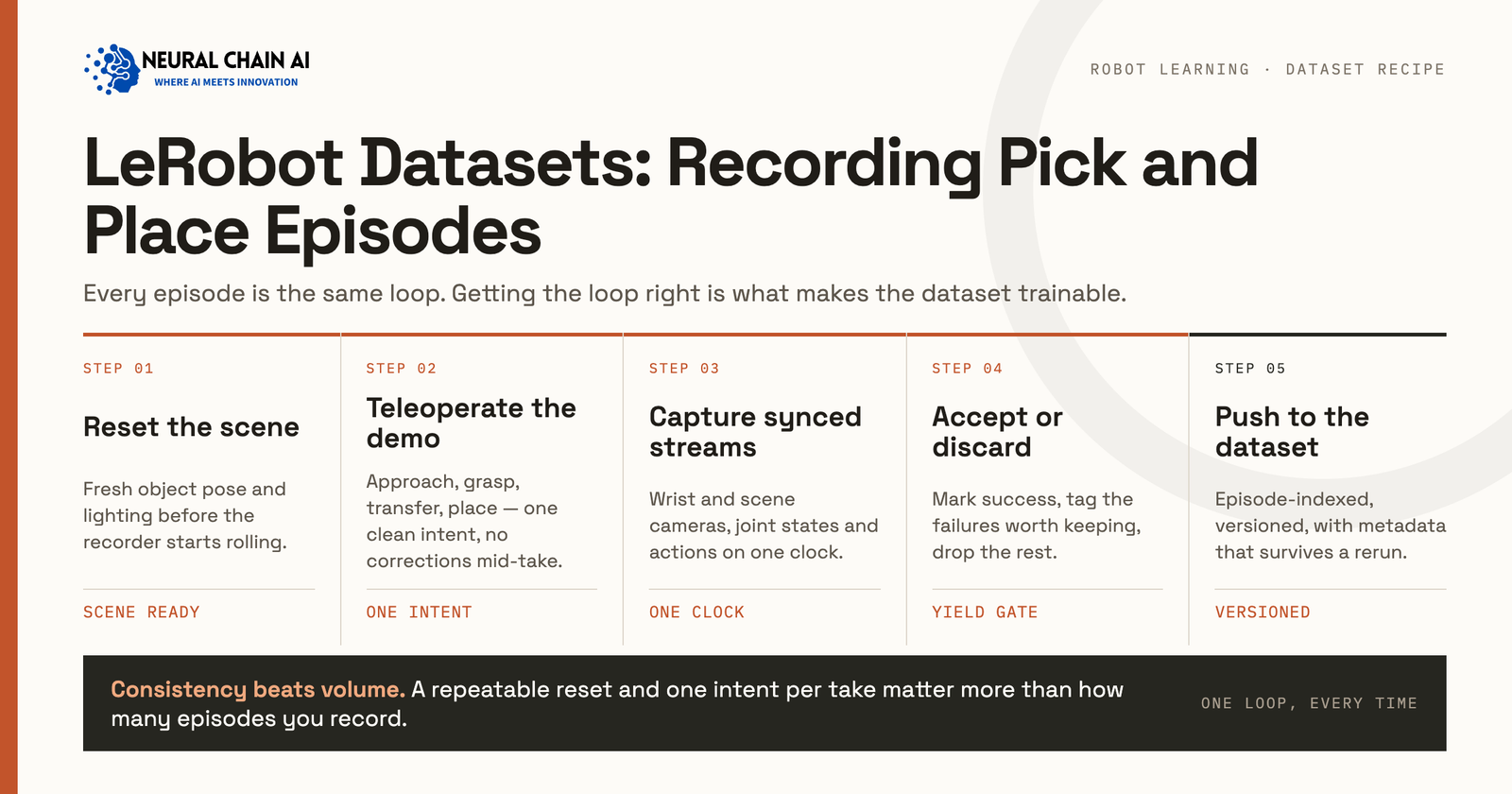
A LeRobot dataset stores a pick and place demonstration as three synchronized parts: frame-by-frame Parquet rows holding joint states and actions, MP4 shards holding every camera view and metadata that maps episode boundaries onto both. This guide covers what the v3.0 format contains, how to record episodes with lerobot-record, how many demonstrations a pick and place task needs, the storage and throughput numbers to plan against and the quality gates to run before a single training step.
LeRobot has become the default recording format for low-cost manipulation research, and the training stacks followed. LeRobot trains ACT, Diffusion Policy and SmolVLA directly and GR00T fine-tuning reads a LeRobot variant, which means the recording decisions you make on day one set the ceiling for every policy you train afterward.
What a LeRobot Dataset Contains?
The format separates storage from the access API. Low-dimensional, high-frequency signals such as joint positions and actions go into Apache Parquet. Camera frames go into MP4 files grouped by camera. Metadata describes the schema, the frame rate, the task text and where each episode starts and ends.
Loading a sample returns a dictionary of PyTorch tensors with keys including observation.state, action, observation.images.<camera_name> and timestamp. The task text you type at record time becomes the language condition your policy trains against, so treat it as a schema field rather than a label. A dataset recorded with the task string “Grab the black cube” teaches a different conditioning signal than one recorded with “Pick the black cube and place it in the bin,” even when the demonstrations are identical.
The v3.0 Layout and What Changed From v2.1
Version 3.0 reorganized storage to handle datasets at Open X-Embodiment scale.
| Aspect | v2.1 | v3.0 |
|---|---|---|
| Tabular data | One Parquet file per episode | Many episodes per Parquet shard under data/chunk-000/ |
| Video | One MP4 per episode per camera | Consolidated MP4 shards under videos/<camera>/chunk-000/ |
| Episode metadata | episodes.jsonl | Chunked Parquet under meta/episodes/ |
| Task definitions | tasks.jsonl | meta/tasks.parquet |
| Episode boundaries | Resolved by filename | Resolved through metadata offsets |
| Hub access | Download then load | StreamingLeRobotDataset iterates without local copies |
LeRobotDataset v3.0 ships in lerobot 0.4.0 and later. The practical benefit is file system pressure: a 5,000-episode dataset under v2.1 produced tens of thousands of small files, which slowed initialization and broke on some cluster filesystems. Fewer, larger shards fix that.
Setting Up the SO-101 Leader and Follower Arms
The SO-101, which the Hugging Face LeRobot docs call their flagship robot, pairs a follower arm that performs the task with a leader arm you move by hand. TheRobotStudio designed it in collaboration with Hugging Face. The follower runs six STS3215 servos at 1/345 gearing, and the leader mixes 1/191, 1/345 and 1/147 ratios so it holds its own weight and still moves with little force.
The LeRobot SO101 guide prepares each SO-101 arm in three steps. lerobot-find-port finds its USB port and lerobot-setup-motors writes the motor IDs and baud rates. lerobot-calibrate then gives leader and follower the same position values in the same physical pose. A lerobot-teleoperate run with so101_follower and so101_leader drives the follower from the leader, which checks the pairing before the first recorded episode.
Recording Pick and Place Episodes With lerobot-record
Calibrate before the first session, and reuse the same robot.id across teleoperation, recording and evaluation, since the identifier controls which calibration file loads. A representative SO-101 recording command:
lerobot-record \
  --robot.type=so101_follower \
  --robot.port=/dev/ttyACM0 \
  --robot.id=follower_arm \
  --robot.cameras="{ front: {type: opencv, index_or_path: 0, width: 640, height: 480, fps: 30}, wrist: {type: opencv, index_or_path: 1, width: 640, height: 480, fps: 30} }" \
  --teleop.type=so101_leader \
  --teleop.port=/dev/ttyACM1 \
  --teleop.id=leader_arm \
  --dataset.repo_id=${HF_USER}/pick_place_bin \
  --dataset.single_task="Pick the red cube and place it in the bin" \
  --dataset.num_episodes=50 \
  --dataset.episode_time_s=30 \
  --dataset.reset_time_s=15 \
  --display_data=true
Three keys control the session while it runs. Right arrow (or n) ends the current episode early and saves it. Left arrow (or r) discards and re-records the episode. Escape (or q) stops the session. On Wayland, headless machines or macOS without accessibility permission, these read from the terminal instead of a global keyboard hook, so keep the launching terminal focused.
The re-record key does more work than any other setting. A demonstration where the gripper fumbles and the operator recovers teaches recovery behavior. Re-record any episode where the operator loses the object and stops, so the policy learns from complete attempts.
Recording Flags That Change Dataset Quality
| Flag | Controls | Setting for pick and place |
|---|---|---|
--dataset.single_task | Language conditioning text | Full verb phrase naming object and destination |
--dataset.fps | Sampling rate for state and video | 30, matching the camera fps |
--dataset.episode_time_s | Maximum episode duration | Roughly double your median demonstration |
--dataset.reset_time_s | Pause between episodes for scene reset | Long enough to reposition objects deliberately |
--robot.cameras | Which views enter the dataset | Wrist plus one third-person view minimum |
--dataset.streaming_encoding | Video encoding during capture | true, when frame rate drifts under load |
Settle the camera choice before recording starts. A wrist camera gives the policy the close-range visual feedback that grasping depends on, and a third-person view gives it scene context for locating the target. Community SO-101 pick and place sets commonly record front, wrist and top views.
How Many Episodes a Pick and Place Task Needs?
Published work gives usable anchors. The LeRobot learning materials and community quickstarts converge on 50 demonstrations as a first real-robot task target.
Spread episodes across task variants such as object positions, since variation is what a policy generalizes from.
Designing Variation Into the Episode Set
Decide what varies before recording, and hold out some of the variation for evaluation. Object positions that never appear during recording give a clean measure of whether the policy generalized or memorized.
A workable variation plan for a warehouse pick and place task covers object start position, target container position, lighting, distractor objects and operator. Vary one axis at a time within a recording session so you can trace a later gap to its cause. Record a few labeled recovery episodes as well, so the policy learns what to do when a grasp slips.
Single Task or Multi Task: How to Split the Recording?
The --dataset.single_task flag names one task for the whole recording session, and each distinct task string becomes its own task index in meta/tasks.parquet. That gives you two structuring choices.
Record separate datasets per task when the tasks share no objects or workspace, when you want to evaluate each independently or when different operators handle different tasks. Record one dataset spanning several task strings when you are fine-tuning a language-conditioned policy and want the model to learn which instruction maps to which behavior. VLA fine-tuning generally benefits from the second shape, since the language conditioning is the thing you are training.
Keep task strings mechanically consistent whichever you choose. “Pick the red cube and place it in the bin” and “pick the red cube and place it in the bin” register as two tasks and split your data across two indices. Write the string once, store it in a shell variable and reuse it across every session for that task.
Storage and Throughput Planning
| Quantity | Reference figure |
|---|---|
| Multi-camera recording at 30 fps | Around 1 GB per 10 minutes of capture |
| Timesteps per pick and place episode | 300 to 600 at 30 Hz |
| Wall-clock per episode including reset | Demonstration time plus the reset window you set |
| Hub upload | Runs after all episodes finish, not per episode |
Two operational notes follow from that upload behavior. Record in batched sessions of a size you can afford to lose, and confirm disk headroom before a long session rather than during one. When you write a dataset through the Python API instead of the CLI, call dataset.finalize() to close the Parquet writers properly, or the metadata will not match the shards.
Quality Gates to Run Before Training
Hugging Face’s LeRobot team ran a comparable cleanup on its own community collection. Starting from 851 public LeRobot datasets contributed by 235 users, they worked through missing video files, inconsistent data types across batches, broken sequential indexing from deleted files and mismatched action or state dimensions, fixing or dropping datasets at each stage. The cleaned community_dataset_v3 release holds 791 datasets, 50,622 episodes, roughly 26 million frames and 251.5 hours of interaction.
Run the equivalent on your own data before you train:
- Confirm every episode carries the full feature schema and no NaN values in the state or action tensors.
- Check episode length distribution and inspect anything far outside your median, since outliers are usually a mis-stopped recording.
- Play back a random sample with the dataset visualizer and watch the wrist view specifically.
- Verify the task string is identical across episodes intended as one task, since a typo creates a second task index.
- Separate evaluation episodes from training episodes at the dataset level rather than by convention.
Add an operator consistency check when more than one person records. Two teleoperators solving the same task at different speeds or from different angles produce a bimodal action distribution that can push the policy toward averaging two valid strategies. Standardize the approach in a short written protocol before recording, or record enough episodes per operator that the policy sees each strategy as a complete mode.
Loading and Streaming for Training
The dataset object returns PyTorch tensors and drops into a standard DataLoader. The delta_timestamps argument requests temporal windows in seconds relative to the current frame, which is how you feed frame stacks to policies that condition on recent history.
Because LeRobot wraps several training pipelines, the same recorded dataset feeds ACT and Diffusion Policy training and SmolVLA fine-tuning directly. GR00T reads a LeRobot variant that adds a meta/modality.json file, and OpenVLA trains from RLDS data, so those two need a conversion step.
Migrating v2.1 Datasets to v3.0
Existing datasets convert with the bundled script, which aggregates per-episode Parquet and MP4 files into shards and writes the episode offsets into the new metadata:
python -m lerobot.scripts.convert_dataset_v21_to_v30 \
  --repo-id=${HF_USER}/pick_place_bin
Verify episode count and total frame count on both sides before deleting the original. If you buy episodes from a vendor, ask which version they write, since a v2.1 delivery in 2026 means a conversion step you did not price.
Converting Rosbag, MCAP and HDF5 Recordings Into LeRobot Episodes
Trajectory data recorded outside LeRobot converts through the same dataset API LeRobot uses for recording. Its porting guide works through DROID as the example and says to install the reader for your source format.
On the read side, a ROS 2 rosbag records topics as timestamped messages, and MCAP is the default log format in ROS 2, according to the MCAP project. Its ROS 2 guide reads an MCAP file as a stream of topic, message and timestamp tuples. HDF5 organizes data in groups, and each HDF5 dataset holds raw data values, so a converter maps each one (camera frames, joint states, actions) to a LeRobot feature.
On the write side, LeRobotDataset.create takes a repo ID, the fps and a features dict that maps each feature name to its type and shape. Each frame goes in through add_frame, which must include a task key. save_episode writes each episode to disk and finalize writes the Parquet footers after the last one. Timing needs care. A bag logs every topic at its own rate while a LeRobot dataset stores frames at one fps, so resample each stream onto the dataset clock before calling add_frame, then compare episode and frame counts against the source.
Recording Your Own Episodes Versus Buying Them
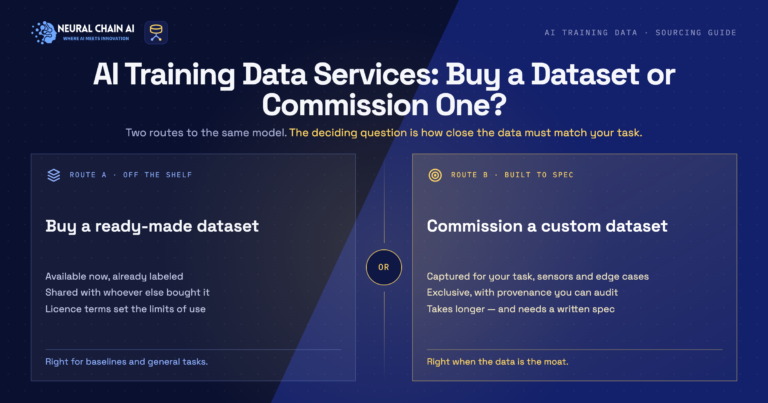
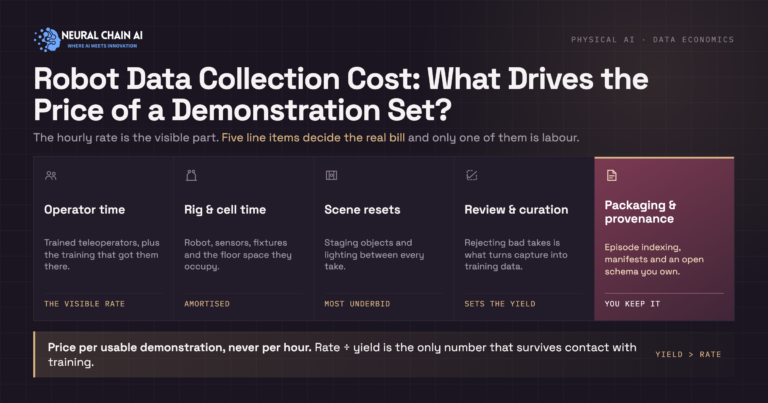
Recording in-house makes sense when the task is specific to your cell, the objects are yours and one operator can cover the variation you need in a few sessions. Buying episodes makes sense when you need operator diversity, scene diversity across sites or sensor modalities your rig does not carry. Our physical AI training data page covers what labeling and ground-truth layers add on top of raw capture.
NeuralChainAI delivers LeRobot-ready episode sets through our embodied AI training data practice, and runs multi-site capture programs through robot data collection services.
Planning a pick and place dataset and unsure how many episodes or which camera setup to commit to? Talk to our team about physical AI and robotics consulting and development, and we will size the recording plan against the policy you intend to train.