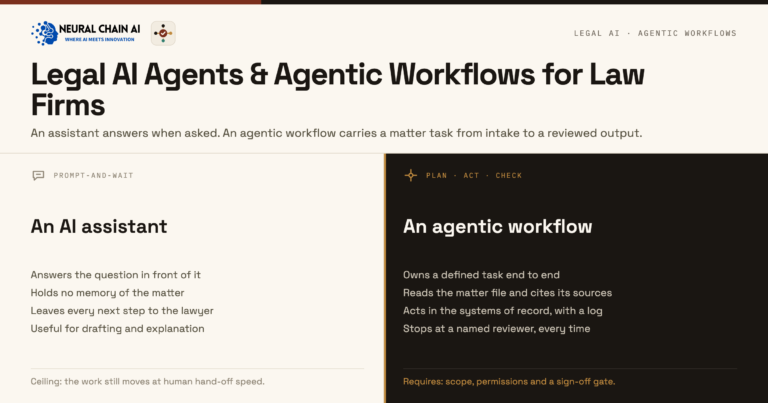
Most lawyers meet AI through a legal assistant: ask, and it drafts, researches, or summarizes. The catch is what it does with your prompt.
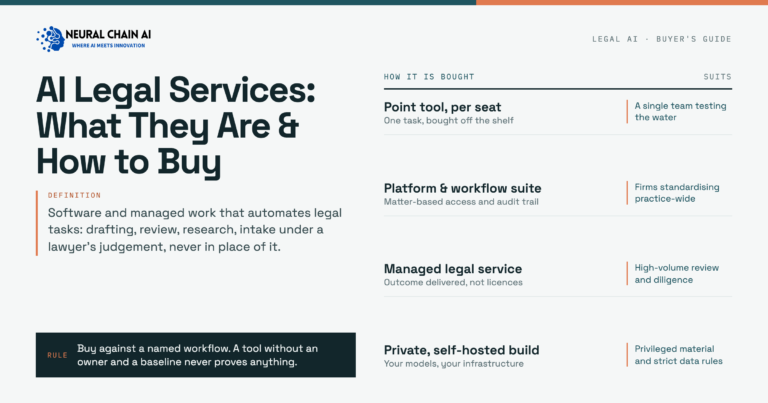
A legal AI assistant is an artificial intelligence (AI) tool that automates a lawyer’s day-to-day knowledge work — researching, drafting, summarizing, and answering questions about documents, one request at a time. The questions that matter are which tasks it automates, which tools fit, and where the prompts and documents go. This guide covers all three. Firms that want the private path can start with our overview of private, self-hosted AI for law firms.
What can a legal AI assistant automate?
The everyday wins are immediate — each one a task the assistant accelerates while the lawyer stays accountable for the result.
Research summaries. Ask a question and the assistant returns a summarized answer with citations to check, condensing the first pass of research into minutes. The lawyer confirms the authority before relying on it.
First-draft documents. It drafts clauses, correspondence, memos, and discovery responses from a short instruction, so the lawyer edits a draft instead of starting from a blank page.
Summarization. Feed it a deposition, a contract, or a long record and it returns the key points — fast triage before a careful read.
Document Q&A. Point it at the firm’s own files and ask questions grounded in those documents, instead of scrolling through hundreds of pages.
Rewriting. It adjusts tone, length, and reading level for client-facing text — low-risk, because the input is usually your own already-drafted writing.
Where today’s tools fit
The best-known assistant tools map to those tasks. The column that matters most is the last one — where your prompt is processed.
| Task | Example tools | Data path |
|---|---|---|
| Research & drafting | CoCounsel, Lexis+ Protégé, Harvey | Vendor cloud |
| Summarization | CoCounsel, Harvey | Vendor cloud |
| Document Q&A | CoCounsel, Harvey | Vendor cloud |
| General assistance | ChatGPT, Claude (consumer) | Vendor cloud |
All capable — and every prompt, often containing client material, is processed on the vendor’s cloud.
Where a legal AI assistant needs the lawyer
An assistant speeds the work; it does not carry the responsibility.
Verification. Assistants can state wrong answers confidently and invent citations, so research and drafts are checked before they are used.
Judgment. Advising the client and making the call stay with the lawyer; the assistant supplies the draft, not the decision.
Confidentiality. Prompts and uploads usually contain client material, which is the exposure the next section closes.
The private, self-hosted alternative
The same assistant can run privately — an open-weight or licensed model paired with the firm’s document store, behind the firm’s authentication, inside its tenant — so prompts and documents never leave. The lawyer gets the same ask-and-receive experience; the prompt just never reaches a vendor.
It gives the convenience of a chatbot while meeting the confidentiality duty ABA Opinion 512 places on the firm. For the broader landscape, see our companion guide to the best legal AI tools for lawyers and law firms.
How to deploy a private legal AI assistant
Connect it to your documents. The value jumps when the assistant answers over the firm’s own files, so ground it in the document store first.
Set access by user and matter. Scope who can ask what before rollout, so confidentiality holds as the team adopts it.
Start with one team. Prove it with a single practice group, then widen once the workflow and guardrails are settled.
Want a legal AI assistant that keeps client data in your firm?
Contact us about Private Legal AI →The bottom line
A legal AI assistant is the simplest way to automate day-to-day legal work — and the deployment choice decides whether it’s also safe. Run it privately and client confidences stay in-house. A short scoping conversation will identify the best first use case.